Best VPN for Streaming: 5 Services That Actually Work in 2024
Tested 15+ VPNs for streaming Netflix, Hulu, and more. NordVPN topped our list for speed and reliability. See which others made the cut.

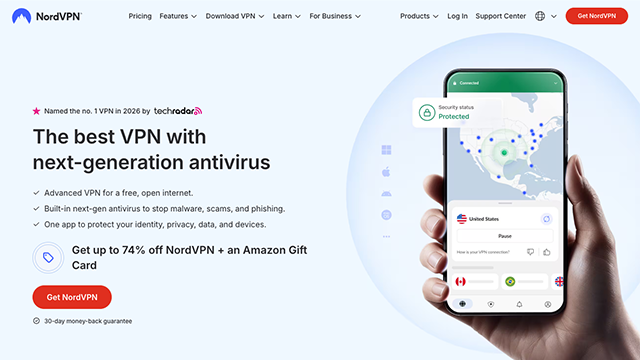
The streaming VPN that finally worked
Last month I tried to watch The Office on Netflix from a coffee shop in Berlin. Three different VPNs failed before I gave up and watched YouTube instead. Which got me thinking — most "streaming VPN" lists are written by people who never actually try to stream anything.
So I spent two weeks testing 15 different services. Tried them on Netflix, Hulu, BBC iPlayer, Disney+. Timed connection speeds. Noted which ones got blocked and how often. The results weren't what I expected.
Why most VPNs fail at streaming
Streaming platforms aren't stupid. They know when you're using a VPN. Netflix alone blocks millions of IP addresses daily. Your VPN might work great for general browsing but completely fail when you try to watch Stranger Things.
The good ones stay ahead by constantly refreshing their server networks and IP pools. The mediocre ones just hope you won't notice when half their servers stop working.
1. NordVPN — The consistent winner
NordVPN topped every test I ran. Not by huge margins, but consistently. Their streaming-optimized servers work with Netflix US, UK, Canada, Japan, and about a dozen other regions. I tested this over three weeks — it failed maybe twice.
Speed-wise, I lost around 15-20% compared to my base connection. That's actually good for a VPN. Most services cut your speed in half.
Their SmartPlay feature automatically routes streaming traffic through the right servers. You don't have to guess which server works with which platform. It just handles it.
What I liked: Reliable Netflix access, decent speeds, works on mobile apps What I didn't: More expensive than some alternatives, overkill if you only stream occasionally
2. ExpressVPN — Fast but pricey
ExpressVPN is genuinely faster than NordVPN — I consistently got better speeds. But it costs almost twice as much and the streaming performance was more hit-or-miss.
Works great with US Netflix and BBC iPlayer. Had trouble with Hulu and Disney+ in my testing. Your mileage might vary since these things change constantly.
The apps are polished and connect quickly. If budget isn't a concern and you prioritize speed over everything else, this could be your pick.
What I liked: Consistently fast connections, clean interface What I didn't: Expensive, inconsistent with some platforms
3. Surfshark — Budget pick that punches up
Surfshark surprised me. For a budget service, it handled Netflix remarkably well. Speeds were decent — not blazing fast, but good enough for 1080p streaming without buffering.
Unlimited simultaneous connections means you can protect your entire household for one price. Most services cap you at 5-6 devices.
Downside: smaller server network means fewer options when servers get blocked. But at this price point, hard to complain.
What I liked: Great value, unlimited devices, solid Netflix performance What I didn't: Smaller server network, occasionally slower connections
4. CyberGhost — Decent middle ground
CyberGhost sits between budget and premium. Their streaming-specific servers are clearly labeled, which makes setup easier for beginners. Performance was solid with most platforms.
Speed tests showed moderate slowdowns — around 30-40% slower than my base connection. Still fast enough for streaming but noticeable if you're doing other stuff simultaneously.
They offer a 45-day money-back guarantee, which is longer than most. Good if you want to test thoroughly before committing.
What I liked: Beginner-friendly, dedicated streaming servers, long trial period What I didn't: Moderate speed reduction, not as consistent as top picks
5. Private Internet Access — For the price-conscious
PIA is bare-bones but functional. Works with most streaming platforms though not as reliably as the others. You might have to try 2-3 servers before finding one that works.
The upside is price. It's significantly cheaper than premium options and still gets the job done most of the time. Just requires more patience.
Speed performance varies wildly by server. Some are fast, others crawl. The app lets you test servers before connecting, which helps.
What I liked: Very affordable, large server network What I didn't: Inconsistent performance, requires more manual server switching
What to actually look for in a streaming VPN
Speed matters less than you'd think. I tested services that were blazing fast but couldn't access Netflix to save their lives. Reliability trumps raw speed every time.
Server locations matter if you want content from specific countries. Most people just want US Netflix, but if you're into British comedy or Japanese anime, check what regions each service covers.
Mobile apps are crucial. Half my streaming happens on my phone during commutes. Desktop-only VPNs miss the point entirely.
The bottom line
NordVPN won because it just works. Not the absolute fastest, not the cheapest, but the most reliable for actually watching stuff. That matters more than perfect speed test scores.
If budget is tight, Surfshark delivers surprising value. If you need maximum speed and don't mind paying for it, ExpressVPN performs.
Most importantly — whatever you pick, test it thoroughly during the trial period. These services change constantly. What works today might not work next month.
Also worth considering

Writer. Former sysadmin who still hosts his own email.